Best AI Model for Social Media Images (November 2026)
GPT Image 2.6 is here: what changed since October, the right model for each use, and how to run a photoshoot with AI.
By Théo, Oposto team · · Tools
In November 2026, the best AI model for social media images is OpenAI's GPT Image 2.6, released on November 4: Sunburst for detailed work and edits that keep the subject identical, Flare for fast posters and product visuals. It adds a "complexity" setting, animated GIF output and SVG output. Google's Nano Banana 2.1 remains the best alternative, and ByteDance's Seedream 5.0 keeps the edge on glamour shots.
Updated November 14, 2026. Previous edition: the best AI image model in October 2026.
What is the best AI image model in November 2026?
GPT Image 2.6 follows 2.5, which led the October rankings. It keeps the same pair. OpenAI positions Sunburst for detailed visual work, precise edits and a subject that stays the same from one edit to the next. Flare is built for fast iteration, and OpenAI says it is better at laying out posters and product visuals. Both cost the same per token.
One important caveat: as of November 5, GPT Image 2.6 was not yet ranked on Artificial Analysis. Public leaderboards may put another model ahead in the coming weeks. What we can say today: 2.5 was already first in October, and 2.6 keeps its strengths with more control. The full list of changes is in our dedicated GPT Image 2.6 article.
| Model | Maker | Strength | Good to know |
|---|---|---|---|
| GPT Image 2.6 Sunburst | OpenAI | Detail, edits, consistent subject | Costs more per image than 2.5 |
| GPT Image 2.6 Flare | OpenAI | Fast, posters, product visuals | Less fine on textures |
| Nano Banana 2.1 | Strong alternative, editing | Sometimes a smoother look | |
| Seedream 5.0 | ByteDance | Fashion, beauty, glamour | Less comfortable with text |
| Midjourney V8.2 | Midjourney | Mood, cinematic look | Lower in rankings |
Watch out for a naming trap: Microsoft's MAI-Image-2.6 has nothing to do with GPT Image 2.6. They came out around the same time.
What changed since October?
In a month, the top of the table barely moved: OpenAI stays ahead, Google right behind. What changed is what you can do with the model. Here is the before and after, to compare with the October edition.
| October 2026 | November 2026 | |
|---|---|---|
| Best model | GPT Image 2.5 Sunburst | GPT Image 2.6 Sunburst |
| Fast model | GPT Image 2.5 Flare | GPT Image 2.6 Flare |
| Planning setting | No | Yes: low, medium or high complexity |
| Animated GIF | No | Yes, 2 to 64 frames, via the API |
| SVG | No | Yes, via the API |
| Edits guided by an annotated layer | No | Yes |
| Public ranking | 1st (Artificial Analysis) | Not ranked yet as of November 5 |
| Model used by Oposto | GPT Image 2.5 | GPT Image 2.6, medium complexity |
What does the GPT Image 2.6 complexity setting do?
Complexity sets how much the model thinks and plans before drawing. On low, it draws almost right away, which is perfect for a simple image. On high (the default), it plans the layout, where the text goes and the details before producing the image. A poster with a headline, a date and a product benefits from planning; a mood shot much less.
That planning time has a price. It is billed as output tokens, at the image rate. A small public test published on release day, on only three images, found 2.6 clearly more expensive than 2.5 at similar settings. Three images are not an average, but the direction is clear: high complexity is not for every image.
Low or high complexity?
High
- Posters with a headline and a date
- Text heavy carousels
- Scenes with several objects
Low or medium
- Mood shots
- Variations of an image that already works
- Previews and tests
How much does GPT Image 2.6 cost?
According to OpenAI's model page, Sunburst and Flare share one price: 5 dollars per million text input tokens, 8 dollars per million image input tokens and 30 dollars per million image output tokens. The cost of an image therefore depends on its size, the requested quality (from low to maximum) and, new this month, the chosen complexity.
OpenAI also announces faster generation than 2.5, especially for Flare. These are the maker's numbers, which we have not measured ourselves. The model is available in ChatGPT, in Codex and through the API, for both generation and editing.
Can GPT Image 2.6 make GIFs and SVGs?
Yes, through the API. The model can return an animated GIF of 2 to 64 frames: a small loop for a story, a spinning product, a logo reveal. It can also return an SVG, an image made of shapes that stays sharp at any size. That helps for an icon, a pictogram or a simple illustration you will refine later.
For an existing logo, the rule does not change: keep the real file. A generated SVG is a suggestion, not your identity.
Which model should you pick for each social media use?
| Use | First choice (November) | Good alternative | What matters |
|---|---|---|---|
| Product photo | GPT Image 2.6 Sunburst | Nano Banana 2.1 | The real photo as reference |
| Photoshoot (photo series) | GPT Image 2.6 Sunburst | Seedream 5.0 | The same references for every image |
| Carousel with text | GPT Image 2.6 Sunburst, high complexity | Nano Banana 2.1 | Short headlines, font provided |
| Poster or announcement | GPT Image 2.6 Flare | Midjourney V8.2 for mood | One idea, one headline |
| Editing a real photo | GPT Image 2.6 Sunburst | Nano Banana 2.1 | Say what stays identical |
| Icon or small animation | GPT Image 2.6 (SVG or GIF) | None | Your logo stays your file |
November: one use, one setting
- Poster Flare, high complexity The headline and date find their place.
- Photoshoot Sunburst + references The same product in every photo.
- Edit Sunburst + annotated layer You show the area to change.
- Animated story GIF via the API A short loop, no video needed.
How do you run an AI photoshoot for social media?
A photoshoot is a series of photos of the same product or the same person in several scenes: in the kitchen, on a terrace, in close up, in hand. It is what makes a consistent feed, or a week of posts that look related without repeating. The hard part is not making one beautiful image, it is making ten images where the subject stays the same.
Here is what keeps the subject identical, based on our use and on what OpenAI announces for Sunburst:
- The same real photos for every image: the product from two or three angles, or the person's face. Give them as faithful references, not just as inspiration.
- One description of the subject, copied word for word from one image to the next. Only the scene changes in the request.
- The same light and palette for the whole series, written once.
- Sunburst for edits: if an image is almost right, edit it instead of starting over.
- The logo placed afterwards, never drawn, or it will change from one photo to the next.
A photo series, from request to photos
- Pick the subject A product or a person, with two or three real photos.
- Write the description once The subject, the light, the palette.
- List the scenes Kitchen, terrace, close up, in hand.
- Generate with Sunburst The same references for every image.
- Edit rather than redo Fix the photo that is almost right.
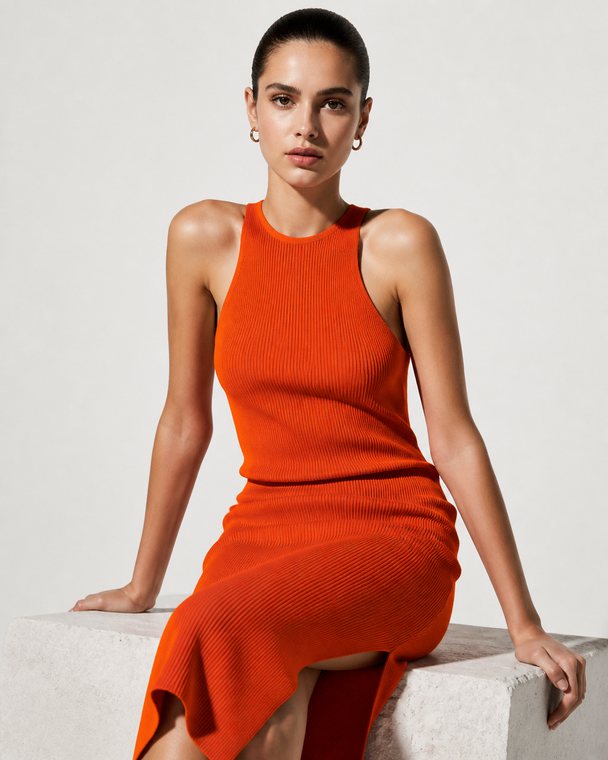
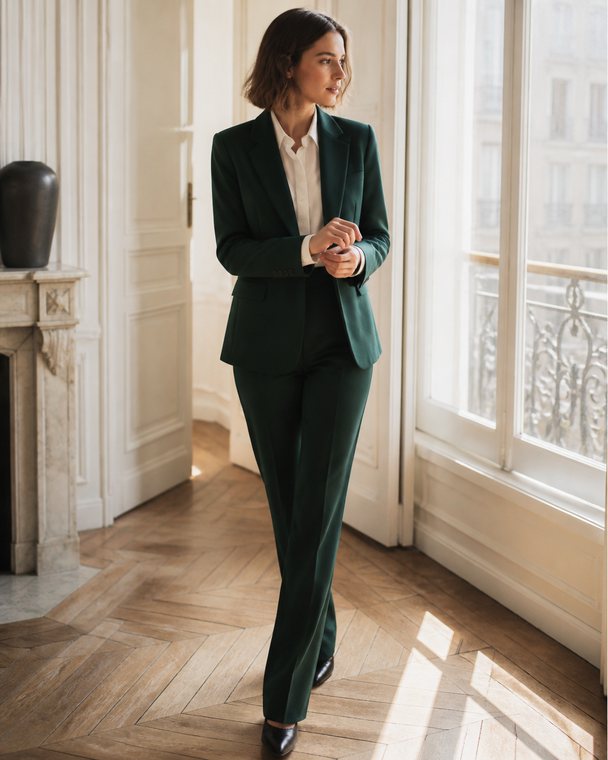
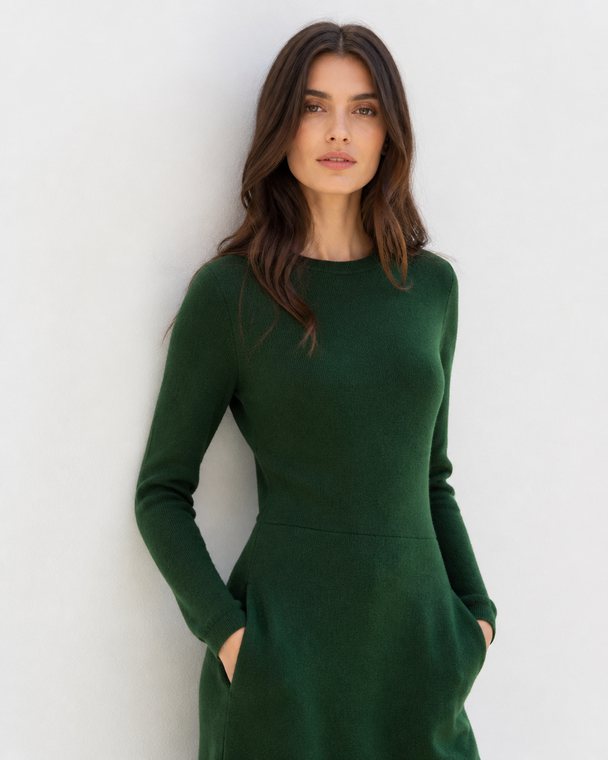
Here are three images for the same fashion brand, made with Oposto. The garments and settings change, the green and orange palette and the soft natural light stay.
To stage your own products, the step by step method is in our guide to product photos with AI.
Which image sizes work for Instagram, LinkedIn and TikTok?
Like 2.5, GPT Image 2.6 accepts sides in multiples of 16, a ratio from 1:3 to 3:1 and up to 3,840 pixels per side. Every social format fits.
Social media formats
- 4:5 Vertical feed Instagram, Facebook, LinkedIn, Threads
- 9:16 Full screen Stories, Reels, TikTok, Shorts
- 1:1 Square Every feed, and thumbnails
- 16:9 Landscape X, YouTube, banners
Exact sizes per platform are in our size guide.
What about video?
The 2.6 GIF output does not replace a video: it is for short silent loops. For a Reel with sound, a voice or someone speaking, you move to video models. Our guide to AI generated video explains when it helps.
And to know whether an image will land before you post it, read how to know if a post will work.
Frequently asked questions
What is the best AI image model in November 2026?
OpenAI's GPT Image 2.6, released on November 4, 2026: Sunburst for detail and edits, Flare for posters and speed. Google's Nano Banana 2.1 remains the best alternative.
What is the difference between GPT Image 2.6 Sunburst and Flare?
Sunburst targets detailed work and keeps a subject identical from one edit to the next. Flare targets speed and the layout of posters and product visuals. Both have the same price per token.
Is GPT Image 2.6 more expensive than 2.5?
The price per token is the same, but 2.6 plans before drawing and those tokens are billed. An early public test found it clearly more expensive per image. Lower the complexity for simple images.
Can GPT Image 2.6 create animated GIFs?
Yes, through the API, from 2 to 64 frames. It can also return SVGs. For a real video with sound, you need a video model.
How do you keep the same product across several generated photos?
Give the same real photos as references for every image, keep the same subject description, and use GPT Image 2.6 Sunburst. Place the logo after generation.
Which image model does Oposto use in November 2026?
GPT Image 2.6 since November 5, at medium complexity: Flare on the free plan, Sunburst on paid plans. Nothing changes for you.
Your social media images with Oposto
Since November 5, 2026, every Oposto image goes through GPT Image 2.6 at medium complexity: a good balance between a careful layout and a reasonable cost. Posts, design carousels, edits from your media library, product staging and slides all benefit. On the free plan, Oposto uses Flare at low quality. On paid plans, Sunburst at medium quality, except for sign up previews and presentations, made with Flare.
For you, nothing changes. You ask for an image, a carousel or a photo series as before, in content creation or to the assistant. Oposto uses your real products as references, places your logo by code, gives the model the fonts from your Content DNA when the image carries text, and rejects blank images. The same references are used for every image in a series, so your product stays the same from one post to the next.
No settings, no model names to remember: when a better model ships, Oposto switches for you.