Best AI Video Model for Social Media (November 2026)
Where AI video models stand in November 2026 for social media: which one to pick, which quality, and what changed since October.
By Théo, Oposto team · · Tools
In November 2026, Seedance 2.5 (ByteDance) is still the best-looking AI video model for social media, Gemini Omni 1.2 (Google), released on November 5, is the best default for a simple scene of up to 15 seconds, and Kling 4.0 (Kuaishou) makes 3 to 30 second shots at a low price. MiniMax H3 helps when several photos must be respected, and Genjutsu replaces the person in a video with you to remake a trend. For a video full of text, motion design still beats any video model.
Up to date as of November 9, 2026.
What is the best AI video model in November 2026?
There is one per job. For a shot that must look great, be precise and stay true to your photos, it is Seedance 2.5. For a short, simple scene with someone talking, it is Gemini Omni 1.2, which stays Oposto's default. For a long shot without cuts, it is Kling 4.0, released mid-October. Public leaderboards, such as the Artificial Analysis text to video arena, rank isolated clips and move every week; they say nothing about captions, voice or the Reel format. Use them as a hint, not as a decision.
The models available in Oposto in November:
- Gemini Omni 1.2 Flash (Google): the default model for generated scenes. Up to 15 seconds per scene (10 with 1.1), 360p to 4K, editing and extending a scene up to 30 seconds, native speech, realistic faces accepted. Available on the free plan.
- Seedance 2.5 (ByteDance): the best result, the most expensive. Scenes of 4 to 30 seconds, three qualities (480p, 720p, 1080p), images and videos as references. Seedance 2.0 Fast covers the free plan.
- Kling 4.0 (Kuaishou): 3 to 30 seconds at a low price, in 720p or 1080p. Like Seedance 2.5, it holds a single 30 second shot, for much less.
- MiniMax Hailuo H3 and H3 Max: up to 9 photos and videos as references, native sound, 5 to 15 seconds.
- Genjutsu: not a model that invents a shot, but a person swap. The person in a 4 to 30 second video is replaced by the one in your photos; the length, format, setting and light of the original video are kept. Paid plans only.
Longest scene per model (November 2026)
- 15 s Gemini Omni 1.2, the default model (10 s with 1.1)
- 15 s MiniMax H3 and H3 Max
- 30 s Seedance 2.5 and Kling 4.0, in a single shot
- 4 to 30 s Genjutsu, the length of the original video
What has changed since October?
The top of the list stays the same: Seedance 2.5 for quality, Omni by default, now moved from version 1.1 to 1.2 on November 5 (details in our Gemini Omni 1.2 article). What changes is everything around it. Kling 4.0 replaces Kling 3, older models leave the list, and two new features directly affect social videos: the person swap and the per-scene quality choice. The October details are in the October edition.
| Topic | October 2026 | November 2026 |
|---|---|---|
| Default model | Gemini Omni 1.1 | Gemini Omni 1.2, up to 15 s, open to the free plan |
| Best quality | Seedance 2.5 | Seedance 2.5, in 480p, 720p or 1080p |
| Kling | Kling 3 and Kling 3 Omni, then Kling 4.0 mid-October | Kling 4.0 only, 3 to 30 s |
| Veo 3.1 Fast | Available | Removed from the list |
| Remake a trend with you in it | Arriving at month end | Genjutsu picked automatically with a photo of you |
| Video quality | Set for the whole film | Chosen scene by scene, with its cost |
| Model choice | Shown at month end | Shown on every scene, with what fits |
Scenes already made with a retired model stay viewable and editable: only the choice for a new scene changes.
Which model should you use for each social video?
| Video to post | The right pick in November | Why |
|---|---|---|
| Reel where someone talks | Gemini Omni 1.2, or your own take | Native speech, faces accepted; a real take is still the most credible |
| Product shot (b-roll) | Seedance 2.5 | The most polished result, your photos as references |
| Product from several angles | MiniMax H3 | Up to 9 photos as references |
| Remake a trend with you in it | Genjutsu | Keeps the original video, only swaps the person |
| Long mood shot | Kling 4.0 | Up to 30 s in one shot, at a low price |
| Announcement, numbers, list | Motion design | Text is written as code, sharp and exact |
For the last row, our article on motion design with Claude for TikTok shows how a text-heavy video is written scene by scene. For trends, the article on Genjutsu and person swap explains what is kept and what changes.
What do videos made with Oposto look like in November?
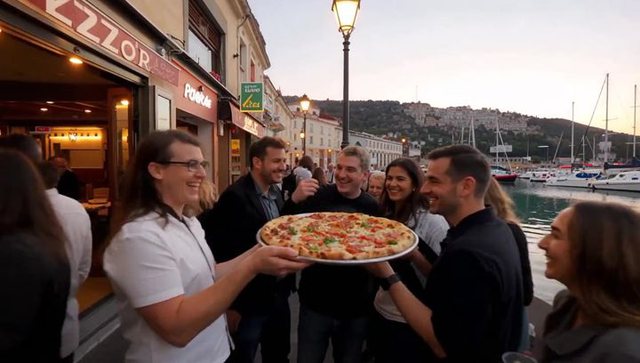
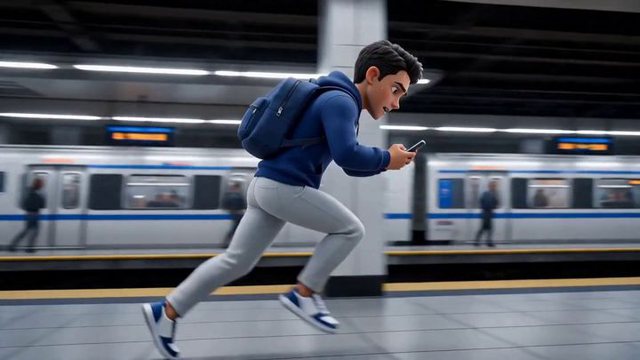
Real vertical examples. The studio picks the model scene by scene, and one film can mix several, so we do not credit any of these shots to a specific model.
Which quality should you pick: 480p, 720p or 1080p?
Since late October, quality is chosen for each scene, and the price follows. On Seedance 2.5, one second in 1080p costs about five times one second in 480p, and a bit more than twice one second in 720p, based on the rates applied in Oposto in November. Kling 4.0 in 720p costs about a third as much per second as Seedance 2.5 in 720p.
- 480p: to test an idea, a hook, a move. You judge the scene before paying for the final version.
- 720p: the right default for TikTok, Reels and Shorts, which are watched on a phone. TikTok asks for at least 720p in its creative best practices.
- 1080p: for a product shot where texture matters, an ad, or a video that will also be shown on a big screen.
A simple habit: make every scene in 480p, keep the ones that work, then redo only those in 720p or 1080p. The model list shows the cost of each choice before you launch.
What does Oposto choose for you?
There is nothing to set. Oposto reads your request and what you attached, then decides for each scene:
How Oposto picks the model for a scene
- Text to read? Announcement, numbers, list: motion design, the text is written.
- A trend to remake with you? A 4 to 30 s video and a photo of you: Genjutsu.
- A precise request or a real face? Seedance 2.5, with your photos as references.
- A simple scene? Gemini Omni 1.2, the default, up to 15 s.
Motion design has two levels from the Pro plan: “Basic” and “Pro”. On the free plan, generated scenes use Omni 1.2 and Seedance 2.0 Fast. Whatever the model, the same rules apply to every film:
- Speech sets the length: a voice is never cut; if the text is too long, the text gets shorter.
- No app screen drawn by a video model: a real screenshot, or the screen at an angle, blurred or in close-up.
- Captions away from the areas hidden by TikTok and Reels buttons.
- Music picked for this film and an ElevenLabs v4 voiceover when the video presents something.
If you would rather not appear at all, our Reel ideas without showing your face work well with these models. And to write what the video will say, start from our 30 second video script.
Frequently asked questions
What is the best AI video model in November 2026?
Seedance 2.5 (ByteDance) for visual quality, Gemini Omni 1.2 (Google) for a simple scene of up to 15 seconds, Kling 4.0 (Kuaishou) for a long 3 to 30 second shot at a low price.
What is the difference between Kling 4.0 and Seedance 2.5?
Seedance 2.5 gives the most polished result, up to 30 seconds per scene, and costs more. Kling 4.0 also holds a single shot of up to 30 seconds, for about a third of the price per second in 720p.
How do I remake a TikTok trend with my own face?
With Genjutsu: the person in a 4 to 30 second video is replaced by the one in your photos, keeping the length, format and setting. Oposto picks it automatically when you attach the video and a photo of you, on a paid plan.
Which quality should I use for a Reel or a TikTok?
720p is enough for a video watched on a phone. Test in 480p, then move to 1080p only for a product shot or an ad: on Seedance 2.5, 1080p costs about five times 480p.
Can an AI video model write readable text?
Rarely: Seedance 2.5, Omni 1.2 and Kling 4.0 draw letters like an image. For an announcement or numbers, motion design, written as code, gives sharp text.
Do I have to pick the model myself in Oposto?
No. Oposto picks for each scene (Gemini Omni 1.2 by default, Seedance 2.5, Genjutsu or motion design depending on the request) and shows its choice, which you can change.
Make your social videos with Oposto
Describe the video in the chat or in the video studio: Oposto writes the plan, picks a model per scene, adds the voice, music and captions, then shows it to you before you schedule it. To talk to the camera, the video coach writes your script and shows it as a teleprompter. Your videos can also join a weekly campaign.